ever wondered how and why the "KEEP CALM" posters suddenly began popping up all over the place in recent years, and what's the real story/origin behind its widespread popularity?
now here it is, and a very interesting one too :)
the keep calm-o-matic
and while at it, you can create your own personalised "KEEP CALM" posters too!
enjoy!
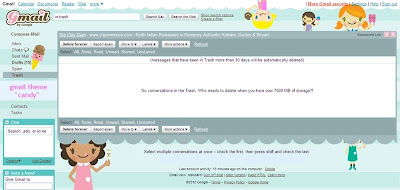 say hello to my NEW gmail homepage theme! me likey! :)i've always customised my igoogle homepage, didn't realise we could do that on gmail interface too! (hehe.. yes i'm so blur.. but never too late to find out, i guess) :)just customised my gmail look and i simple loveeee the cutesy "candy" theme that greets me everytime i log in now. so cheerful and perfect for Spring! :D i know it looks a little kiddish but who cares? hehehe..if you too, like me, are just discovering gmail themes for the first time.. here's how you do it:step 1) log in to your gmail account (via www.gmail.com)step 2) select "Settings" from the top right hand corner tab on the screenstep 3) click on "Themes" at the far right of the Settings menu bar step
step 4) select your preferred theme from the icons listed.. and voila!easy as 1, 2, 3 :)
 if you like the new winter theme you see refreshed on my blog today, you may also like some of the other backgrounds on this website - moobackgrounds :)just thought i'd share...


